Dodge Charger Key Fob Not Detected: Causes and Easy Solutions (2011-2025 Models)
You slide into your Dodge Charger after a long day, press the brake, push the start button — and nothing happens except a frustrating message on the dash: “Key Fob Not Detected.”
TL;DR:
A “Key Fob Not Detected” message usually means a dead key fob battery, a weak car battery, signal interference, or a programming issue. First, try touching the key fob directly to the start button — this uses the backup RFID chip and should start the car. If that works, replace your key fob battery (CR2032). If both fobs fail at the same time, check your car’s 12V battery or look for signal interference from phones, laptops, or wireless chargers. For 2024-2025 models, a software bug or faulty RF Hub may be the culprit.
Key Takeaways:
- Touching the fob to the start button is the emergency backup method — it works even with a dead fob battery.
- Dead key fob battery is the #1 cause — replace it every 2-3 years.
- Both fobs failing at once usually means a car battery issue or RF Hub problem.
- Wireless charging pads can block the fob signal if placed too close — keep fobs 6+ inches away.
- 2024-2025 Chargers have known software issues — a dealer update or RF Hub replacement may be needed.
“My Car Won’t Recognize My Key — But the Battery Is Fine”
This is one of the most frustrating problems a Dodge Charger owner can face. You know the key works because the buttons unlock the doors. But the car still says “Key Fob Not Detected” when you try to start it.
Here’s what’s actually happening: Your Charger uses two different systems to communicate with your key fob. One system handles the remote buttons (lock, unlock, trunk). The other system handles proximity detection — telling the car that the key is inside the cabin so you can push-start it.
It’s possible for one system to fail while the other keeps working. That’s why your remote buttons might work fine, but the car still won’t start unless you touch the fob to the button.
Let me walk you through exactly what to check, starting with the simplest fixes first.
The Emergency Start Method (Works Every Time)
Before you do anything else, try this. It takes five seconds and might save you a tow truck bill.
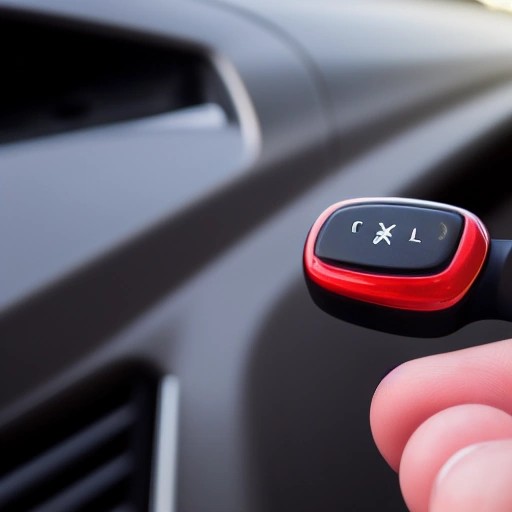
Take your key fob and press it directly against the ENGINE START/STOP button. Then press the button with the fob still touching it.
The car should start immediately.
Why does this work? Your key fob has a small passive RFID chip inside that doesn’t need battery power to function. The start button has an RFID reader built into it. When you touch the fob to the button, the reader powers up the chip and authenticates it — even if your fob battery is completely dead.
One owner on the Daytona Owners forum confirmed: “The reason pushing the power button with the fob works to start the car is because there is a passive RFID chip in the fob and an RFID reader in the start button module.”
If this works, your key fob battery is almost certainly dead or dying. Replace it.
7 Reasons Your Dodge Charger Won’t Detect the Key Fob
Let me break down the most common causes, from “fix it in two minutes” to “call the dealer.”
1. Dead Key Fob Battery (Most Common)
This is the culprit 80% of the time. Key fob batteries typically last 2-4 years, depending on how often you use the remote functions.
Warning signs your battery is dying:
- You have to stand closer to the car for the remote to work
- The LED light on the fob is dim or doesn’t light up at all
- The instrument cluster shows a “Low Key Fob Battery” message
How to replace it:
- Battery type: CR2032 (available at any drugstore or auto parts store)
- Carefully pry open the fob casing (use a small flathead screwdriver or a coin)
- Replace the battery with the positive side facing up (check the orientation before removing the old one)
- Snap the case back together
One important tip: Batteries sit on store shelves for months or even years. If your new battery doesn’t work, try buying from a store with high turnover — or test the battery with a multimeter before installing it.
2. Dead Car Battery (12V Battery)
If both of your key fobs stopped working at the same time, the problem probably isn’t the fobs. It’s your car.
The remote keyless system needs power from your Charger’s 12V battery to function. If that battery is dead or dying, the system won’t work — even if your key fob battery is perfectly fine.
Signs of a dead car battery:
- Interior lights are dim or don’t turn on
- The仪表盘 doesn’t light up when you open the door
- You hear clicking sounds when trying to start
- The car needs a jump start
What to do: Jump start your Charger. Once it’s running, drive for at least 30 minutes to recharge the battery. If the problem comes back, have your battery and alternator tested at any auto parts store for free.
3. Signal Interference
This one surprises a lot of owners. Your key fob’s wireless signal can be blocked by other electronics.
The official Dodge owner’s manual warns: “The key fob’s wireless signal may be blocked if the key fob is located next to a mobile phone, laptop, or other electronic device. This may result in poor performance.”
Also watch out for:
- Radio towers or transmitters near your parking spot
- Poorly installed satellite systems in your neighborhood
- Other vehicles with strong keyless systems nearby
The fix: Move your key fob away from your phone. Keep it in a separate pocket. If you’re parked somewhere with known interference, try moving the car a few hundred feet.
4. Wireless Charging Pad Interference (2024-2025 Models)
Here’s a weird one specific to newer Chargers. If your car has a wireless charging pad (where you charge your phone), placing your key fob within 6 inches (15 cm) of that pad can block the signal.
The owner’s manual explicitly states: “If your vehicle is equipped with a Wireless Charging Pad, the key fob may not be detected if it is placed within 6 inches (15 cm) of the pad.”
The fix: Store your key fob somewhere else — in your pocket, the cup holder, or the door pocket. Just not on the charging pad.
5. Water Damage
If your key fob took a trip through the washing machine or fell in a puddle, water damage could be the issue.
Important: Dodge key fobs are water-resistant, not waterproof. A splash of rain or a sweaty pocket is fine. Submerging them in water? Not fine.
What to do if your fob gets wet:
- Remove the battery immediately
- Dry the inside with a paper towel
- Let it air dry completely (24 hours)
- For saltwater or dirty water, clean the circuit board with isopropyl alcohol
- Reinstall the battery and test
If it still doesn’t work after drying, the chip is likely fried. You’ll need a replacement fob.
6. Poor Battery Contacts Inside the Fob
Sometimes the battery is fine, but the metal clips that hold it in place have lost their tension. This is common on older fobs that have been opened multiple times.
How to check:
- Open the fob and remove the battery
- Look at the metal contacts — are they bent or flattened?
- Gently bend them back into position with a small screwdriver
- Reinstall the battery — it should feel snug and not move when you shake the fob
One forum member also suggested checking the “little cups on the rubber pad that contact the circuit board” — these can fall out of place and cause button failures.
7. RF Hub Failure or Software Bug (2024-2025 Chargers)
This one applies mainly to 2024-2025 Dodge Charger Daytona EV owners, though earlier models can have RF Hub issues too.
The RF Hub (Radio Frequency Hub) is the module in your car that receives signals from the key fob. When it fails, the car simply won’t see any key fobs.
Real owner experiences from the Daytona Owners forum:
- “My brand new 25 Daytona key fob went useless this morning. I can’t get in the car. It won’t unlock on the app either!”
- “Turned out the keys were not programmed to the car, and the RF hub would not allow reprogramming of keys. After the technician created a Star Case… the RF hub and both keyfobs were replaced and programmed.”
- “There is a TSB for passive entry and key related issues. They are currently working on a software update that is slated for the end of Q2.”
What to do: If both your fobs stopped working at the same time and new batteries don’t help, schedule a service appointment. Ask the dealer to check for TSBs (Technical Service Bulletins) related to the RF Hub or key fob programming.
Bold safety reminder: Aftermarket remote start systems can interfere with the Sentry Key Immobilizer system. Use only factory-approved systems to avoid starting problems.
Key Fob Technology Evolution in Dodge Chargers
Let’s look at how the keyless system has changed over the years — and why newer cars have different problems.
- 2006-2010 – Traditional flip-key with separate remote. No push-button start. Simple system, fewer failures.
- 2011-2014 – Push-button start introduced. RFID backup chip in fob. Early adoption had some glitches.
- 2015-2020 – Passive Entry added (unlock by touching door handle). System becomes more complex. Battery life issues appear.
- 2021-2023 – Refined system. Mostly reliable, but still sensitive to interference.
- 2024-Present – Digital Key and new RF Hub architecture. Software bugs and RF Hub failures reported. Wireless charging pad interference discovered.
“The Dodge Charger remains one of the last full-size muscle sedans available today — but its keyless system is fully modern, which means modern problems.”
Key Fob Issues by Charger Generation
| Model Years | Most Common Cause | Emergency Start Available? | DIY Fixable? |
|---|---|---|---|
| 2011-2014 | Dead fob battery, RF Hub issues | Yes (touch to button) | Usually yes |
| 2015-2020 | Dead fob battery, poor contacts | Yes | Usually yes |
| 2021-2023 | Dead fob battery, interference | Yes | Yes |
| 2024-2025 | Dead fob battery, RF Hub failure, software bug | Yes | Maybe (dealer often needed) |
| All models | Dead car battery (both fobs fail) | No (need jump start) | Yes |
How to Reset Your Charger’s Keyless Entry System
If you’ve tried everything and the system is still acting up, you can try a hard reset. This reboots all the computers in your car.
Step-by-step:
- Open the hood and locate the 12V battery (usually in the trunk on Chargers, but check your manual)
- Disconnect the negative (black) cable first
- Disconnect the positive (red) cable
- Press the horn button a few times to drain residual electricity
- Turn on the headlights (they won’t light up — this drains remaining power)
- Wait 15 minutes
- Reconnect the positive cable first, then the negative
- Test your key fobs
One 2025 Daytona owner reported: “My fix — disconnect the negative terminal on battery in trunk for 15 minutes. My guess is I had a code causing an issue. Wish I had hooked it up to a scanner tool before. Will do if it comes back.”
Using an OBD2 Scanner to Diagnose
If the problem keeps coming back, an OBD2 scanner can help. Your Charger stores error codes when the keyless system fails — even if the check engine light isn’t on.
What to look for:
- Bxxxx codes (Body codes) — these relate to the keyless entry system and RF Hub
- Uxxxx codes (Communication codes) — these indicate problems between modules
One forum member explained: “Check engine light typically only comes on when there’s a Pxxxx powertrain code. The other codes (Bxxxx body, Uxxxx communication) will not cause the CEL to come on… But they will still log a code.”
Most auto parts stores will scan your car for free. Or buy a basic scanner for $30-50.
Frequently Asked Questions
Can I start my Dodge Charger if the key fob battery is completely dead?
Yes. Touch the key fob directly to the ENGINE START/STOP button, then press the button. The passive RFID chip will be read and the car will start.
Why did both my key fobs stop working at the same time?
This almost always means your car’s 12V battery is dead, or the RF Hub has failed. Two fobs don’t die simultaneously by coincidence. Check your car battery first.
How long does a Dodge Charger key fob battery last?
Between 2 and 4 years, depending on how often you use the remote functions. Cold weather can shorten battery life.
My remote buttons work, but the car won’t detect the key to start. What’s wrong?
The remote buttons and the proximity detection system use different components. The RFID chip in your fob might be damaged, or the car’s interior antenna could be faulty. Try the emergency start method — if that works, the problem is likely the fob’s battery or the proximity system.
Will a dead key fob battery drain my car battery?
No. The key fob battery is completely separate from your car’s 12V battery. A dead fob battery won’t affect your car’s electrical system.
My 2025 Charger Daytona EV won’t detect the key — is this a known issue?
Yes. There are multiple reports of 2024-2025 Charger Daytona EV models having key detection issues. A TSB (Technical Service Bulletin) has been issued, and a software update is expected. Some owners have needed RF Hub replacements. Contact your dealer.
How much does it cost to replace a lost or broken key fob?
At a dealership, $200-400 for the fob plus programming. At a locksmith, $150-250. Always keep your spare key safe — it’s much cheaper to program a new key if you have one working original.
References
References:
- Dodge Charger 2025 Owner’s Manual – Key Fob Information
- WheelsJoint – Dodge Charger Key Fob Not Working: Causes and Fixes
- WheelsJoint – Key Fob Won’t Lock or Unlock Doors
- Daytona Owners Forum – 2025 Charger Key Fob Issues & RF Hub Failure
- ChargerForumz – 2014 Charger Key Fob Detection Issues
- LX Forums – Both Key Fobs Stopped Working
- ChargerForumz – Key Fob Button Issues and Cleaning
Has your Dodge Charger ever left you stranded with a “Key Fob Not Detected” message? What year is your car, and what fixed it? Drop your experience in the comments — other owners need to know what works.