How to Upgrade Older Dodge Uconnect 4.3 or 8.4 to Wireless Apple CarPlay & Android Auto
You slide into your Dodge, ready for that muscle car experience, but your 2016 or older Uconnect system feels stuck in the past—no Apple CarPlay, no Android Auto, just a screen that reminds you how far smartphone integration has come since your vehicle was built.
TL;DR
You cannot simply update older Uconnect systems with a software patch to add CarPlay or Android Auto—the hardware itself doesn’t support it . For 2016-and-earlier Dodges, the most practical upgrade is installing an aftermarket interface module that piggybacks on your factory screen. Options range from $300-$500 modules from companies like Joyeauto, Carlinklife, and Carputech that add wireless CarPlay and Android Auto while retaining all factory functions . For 2017 vehicles, you could upgrade to a 2018+ OEM Uconnect 8.4 head unit and media hub, but this requires finding the right parts and can cost $600-$1000 .
Key Takeaways
- Software updates won’t add CarPlay—if your 2016-or-earlier Dodge doesn’t have it, no software patch will fix that
- Aftermarket modules are the best DIY fix—plug-and-play boxes cost $300-$500 and add wireless CarPlay/Android Auto while keeping factory features
- 2017 is the awkward year—some 8.4 systems still lack CarPlay, requiring a hardware swap to a 2018+ unit plus the USB hub
- Uconnect 4 has wired CarPlay only—if your system supports it, wireless requires an adapter like the Quad Lock
- Factory system replacement is possible—swapping to a newer OEM head unit works but requires the right hardware and can be pricey
The Hard Truth: Why a Software Update Won’t Work
You might have heard rumors about updating your older Uconnect system to add CarPlay. Here’s the straight answer from the source: Older Uconnect systems (model year 2016 and earlier) do not support Apple CarPlay or Android Auto, and there is no software update that will add it .
“No, it is not possible to update your Uconnect® system to add Apple CarPlay® support or Android Auto compatibility” .
The reason is simple. CarPlay and Android Auto require specific hardware, not just software. Your 2016-and-earlier Uconnect system doesn’t have the right chips inside to handle the CarPlay protocol. No amount of updating will magically install new hardware .
If your vehicle has a Uconnect 5 system, Apple CarPlay and Android Auto are included. Select Uconnect 4 systems with a 7-inch, 8.4-inch, or 12-inch touchscreen also include support. But if you have Uconnect 4.3 or an earlier 8.4 system, you’re out of luck with the factory setup .
Option 1: Aftermarket Interface Module (Recommended)
This is the most popular and practical solution for owners who want CarPlay without replacing the entire radio. These are plug-and-play boxes that sit between your factory screen and the vehicle’s electronics .
How It Works
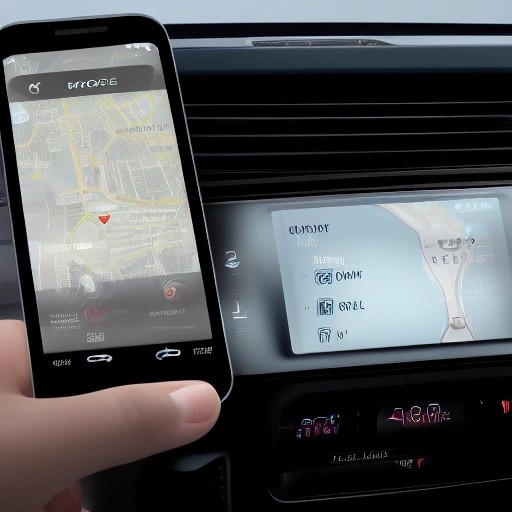
The module hijacks the display signal and overlays the CarPlay interface over your factory system. When you want CarPlay, it shows up on your screen. When you don’t, your factory system works normally. You switch between them with a button or by holding a steering wheel control .
Benefits
- No permanent changes—installation is completely reversible
- Wireless CarPlay and Android Auto—connect without cables
- Keeps factory features—backup cameras, steering wheel controls, and all OEM functions remain
- Adds features—some modules let you add front or rear cameras if your vehicle didn’t come with them
Options
| Brand | Price | Key Features |
|---|---|---|
| Joyeauto | ~$439 | Wireless CarPlay, mirroring, steering wheel controls, one-year warranty |
| Carputech | ~$399 | Wireless CarPlay/Android Auto, plug-and-play, reversible |
| Carlinklife | ~$318 | Wireless connection, support for 8.4-inch Uconnect, mirror link |
Installation Overview
These modules typically include the main control unit, wiring harnesses, and antennas. Installation involves removing the radio trim, connecting the harness between the factory radio and the screen, and securing the module behind the dash .
Option 2: OEM Head Unit Swap
Some owners choose to replace their factory head unit with a newer Uconnect system from a 2018+ Dodge. This works, but it’s more complicated .
For 2017 Vehicles
The 2017 model year is the awkward middle child. Some 2017 Dodges with the 8.4-inch screen don’t have CarPlay—support started with the 2018 model year . If you have a 2017 and want CarPlay, your options are:
- Upgrade to a 2018+ 8.4-inch unit—this gives you CarPlay, but you also need to swap the USB hub in your center console
- Use an aftermarket module—same as Option 1 above
“If you want to run an OEM 8.4 you’ll need to upgrade to one from a ’18 or newer version along with the Media USB hub” .
Costs
Used 2018+ Uconnect 8.4 head units can cost anywhere from $600-$1000, depending on condition and source . You also need the updated USB hub, which adds to the cost.
Option 3: Wireless Adapter (If You Already Have CarPlay)
If your Dodge already has CarPlay support (2018+ model year with Uconnect 4 or 5), you can add wireless connectivity with a simple USB dongle. These adapters plug into your USB port and make the connection wireless .
Products like the Quad Lock Wireless CarPlay/Android Auto Adaptor connect via Bluetooth initially, then establish a Wi-Fi connection for the CarPlay session . This is a cheaper option—typically under $100—but it only works if your vehicle already supports wired CarPlay .
Compatibility Quick Guide
| Year | Uconnect Version | CarPlay Support | Best Upgrade Path |
|---|---|---|---|
| 2014-2016 | Uconnect 4.3 or 8.4 | No | Aftermarket module |
| 2017 | Uconnect 8.4 (some) | No (some models) | 2018+ OEM swap OR module |
| 2018+ | Uconnect 4 (8.4″) | Yes (wired) | Wireless adapter for CarPlay |
| 2021+ | Uconnect 5 | Yes (wireless) | Nothing—already included |
Important Compatibility Notes
Sound Output
Aftermarket modules typically play audio through the factory “AUX” source . This means you need to select the AUX input on your factory radio for sound to work.
USB Hub Requirements
If you’re doing an OEM head unit swap, the USB hub in your center console may need to be replaced with a newer version. This isn’t optional—the older USB hub lacks the necessary components for CarPlay .
4.3 to 8.4 Swaps
Some owners have successfully upgraded from the smaller 4.3-inch screen to an 8.4-inch unit. This requires the radio, bezel, and sometimes additional modules. USB and AUX functions can be tricky after this swap .
Frequently Asked Questions
Can I update my 2016 Uconnect to get CarPlay?
No. The older hardware simply doesn’t support it. Software updates won’t add the feature .
What is the cheapest way to get CarPlay in my older Dodge?
An aftermarket interface module in the $300-$400 range is the most affordable functional solution. These are plug-and-play and add wireless CarPlay and Android Auto .
Does the 2017 Dodge Charger have CarPlay?
Not universally. Support started with the 2018 model year. Some 2017 models with the 8.4-inch screen may have it, but many do not .
Will an aftermarket module void my warranty?
The module is plug-and-play and reversible, so it shouldn’t affect warranty claims. It doesn’t require cutting wires or permanent modifications .
Can I watch videos on my Uconnect screen with CarPlay?
No. CarPlay doesn’t support video playback due to safety restrictions. It’s designed for navigation, music, calls, and messages—not watching videos .
The Bottom Line
Upgrading an older Dodge Uconnect system to support CarPlay or Android Auto isn’t as simple as downloading an update, but it’s definitely doable.
If you own a 2016-or-earlier Dodge, your best bet is an aftermarket interface module. It’s plug-and-play, reversible, and costs $300-$500. You’ll get wireless CarPlay and Android Auto while keeping all factory features .
If you’re determined to stay with OEM equipment and have a 2017 model, swapping to a 2018+ head unit and USB hub works, but it’s more expensive and harder to find parts .
And if your Dodge already has CarPlay support (2018+), a $100 wireless adapter might be all you need to cut the cord .
References
Dodge Uconnect CarPlay Upgrade Resources:
- Uconnect Software Update Center – Official Information
- Carlinklife – Wireless CarPlay Module for Dodge
- Joyeauto – Wireless CarPlay Kit for Dodge Uconnect 8.4
- Carputech – CarPlay and Android Auto Module
Have you upgraded your older Dodge’s Uconnect system to get CarPlay? What route did you take—aftermarket module or an OEM swap? Share your experience in the comments to help other owners!
What’s your biggest frustration with older Dodge infotainment systems—missing CarPlay, slow response, or something else? Drop your thoughts below!